1- Description
This system allows billing management between an aircraft owner and a pilot who wants to lease an aircraft.
The platform supports two different payment methods:
Standard / Manual Payments
Payments are managed directly by the aircraft owner.
The system includes organizational tools to keep track of upcoming payments and billing schedules.
The owner is responsible for:
-
Managing and recording payments in the system
-
Monitoring payment status
-
Using the built-in calendar and template system
-
Editing installments and lease fees
-
Adding extra charges or custom fees
-
Marking payments as pending or completed
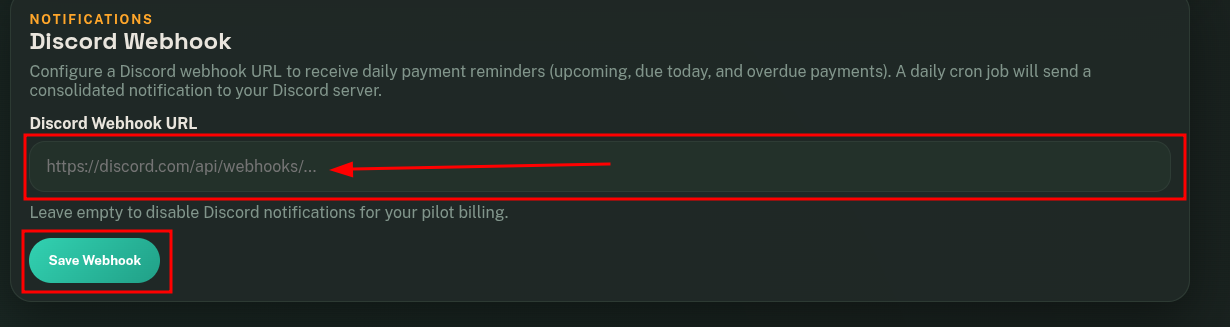
The system also supports Discord webhooks, allowing the owner to receive automatic payment notifications and reminders.
Payments Using the FSE Payment Gateway
With the FSE Payment Gateway, FSELeaseHub handles payment processing on behalf of the owner.
Our team manages payment operations and transfers funds on scheduled payout dates, including a management commission fee.
Our Staff team will provide you with all the accumulated money on a specific date, applying a commission.
The system generates a unique payment ID for each pending payment, allowing pilots to complete payments easily using that ID.
Activation Manual Payments
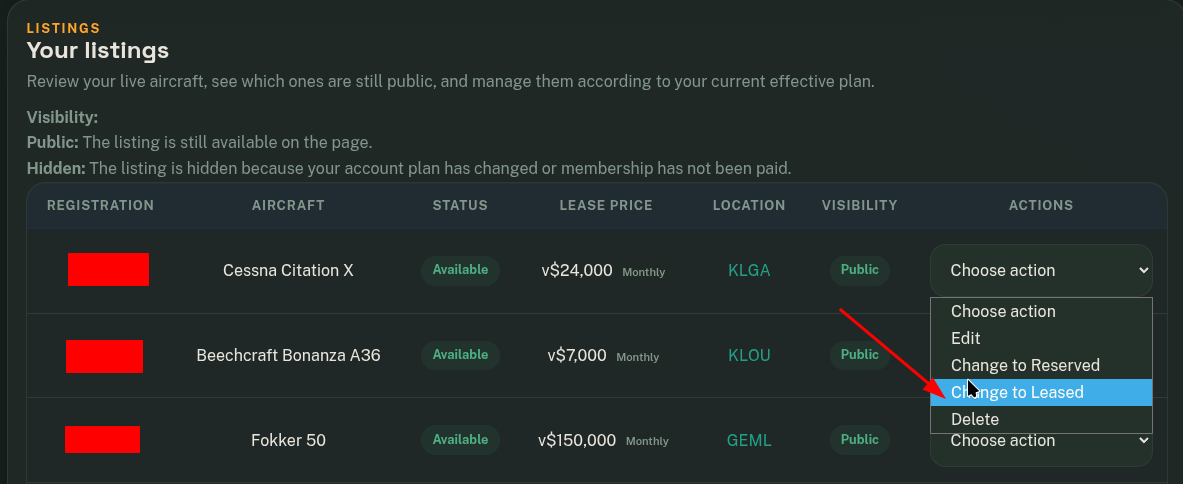
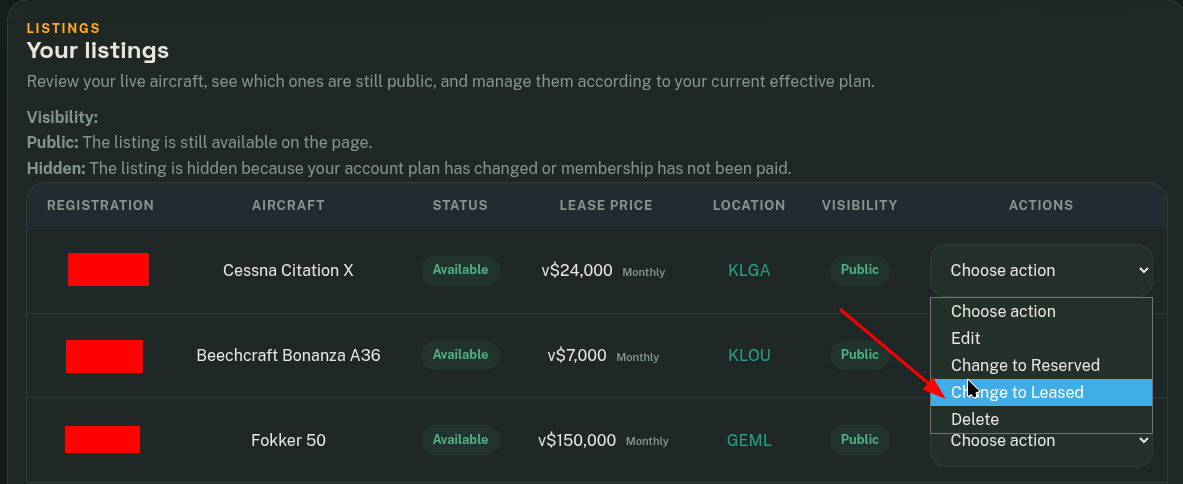
- First, set the aircraft status to Leased.
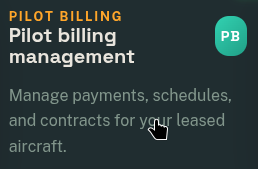
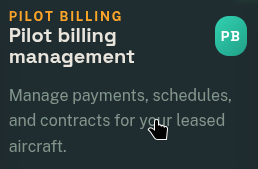
- Go to Pilot Billing Management.
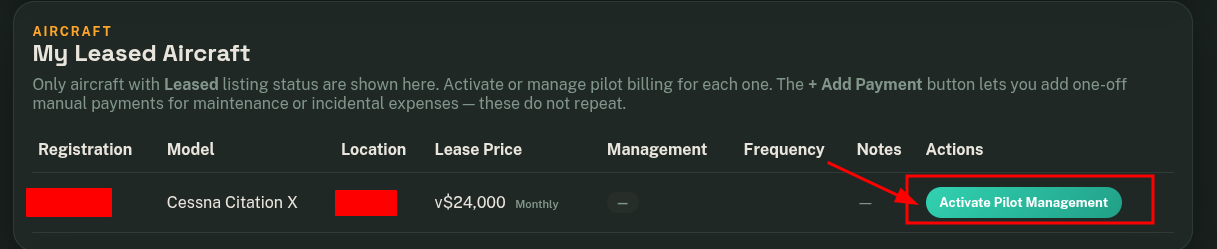
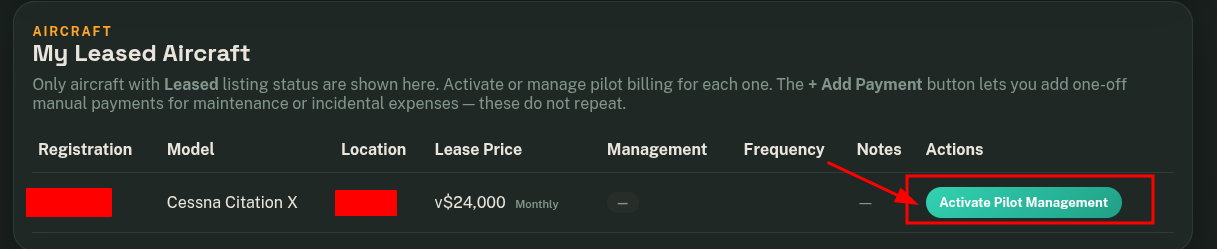
- Click on "Activate Pilot Management".
Activation Payment Gateway
- Follow the previous steps.
- Activate FSE Payment Gateway


Alerts and notifications
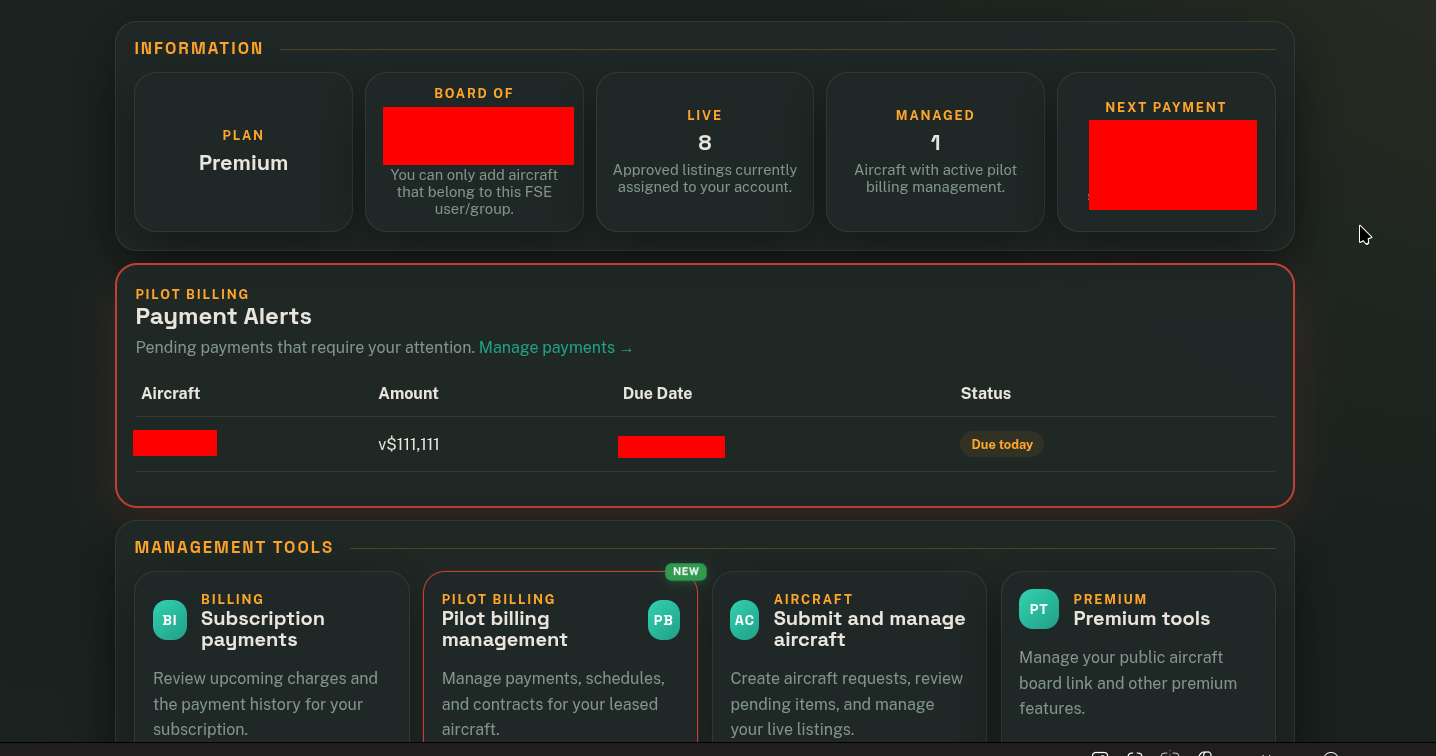
When you activate Pilot Management, the system is prepared to display alerts and notifications for the upcoming payments that the pilot needs to make.
Visual alerts on the Dashboard
On the panel, you will see alerts that are usually displayed with a red border.
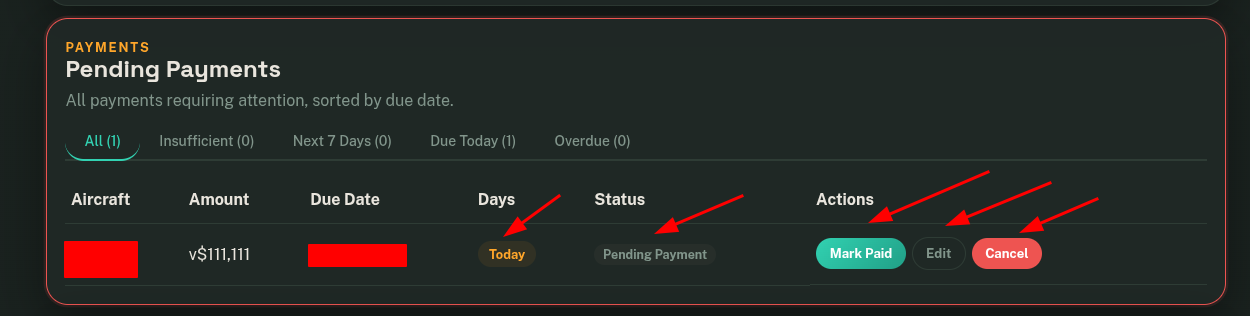
When notifications are important to you, we will also display a notice on the main dashboard.
Discord Notifications
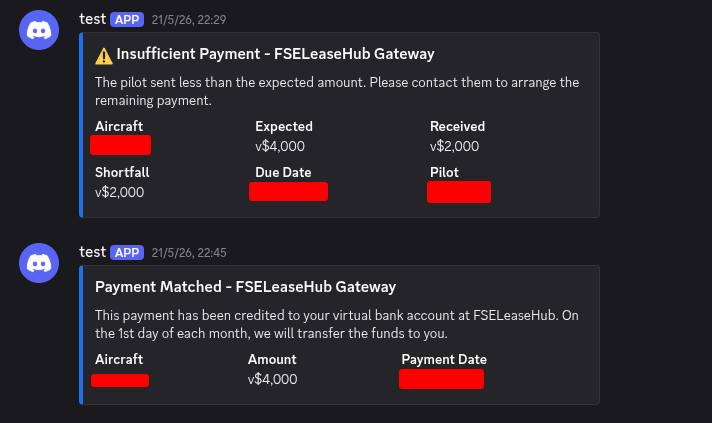
You can also configure Discord notifications to receive upcoming expiration alerts or payment confirmations when using the Payment Gateway system.
This is an example of the notifications you will receive.
You will also receive notifications when a payment has 7 days or less remaining, another notification when the due date is today, and another notification when it has expired.