Update Your Data & Manage
Keep your contact information up to date. Here's how you can do it.
Managing financing and requests
You can request changes for all ACTIVE financing plans.
Log in to the Orion panel at https://orion.aerofinancialfse.com and click on "Manage Financing".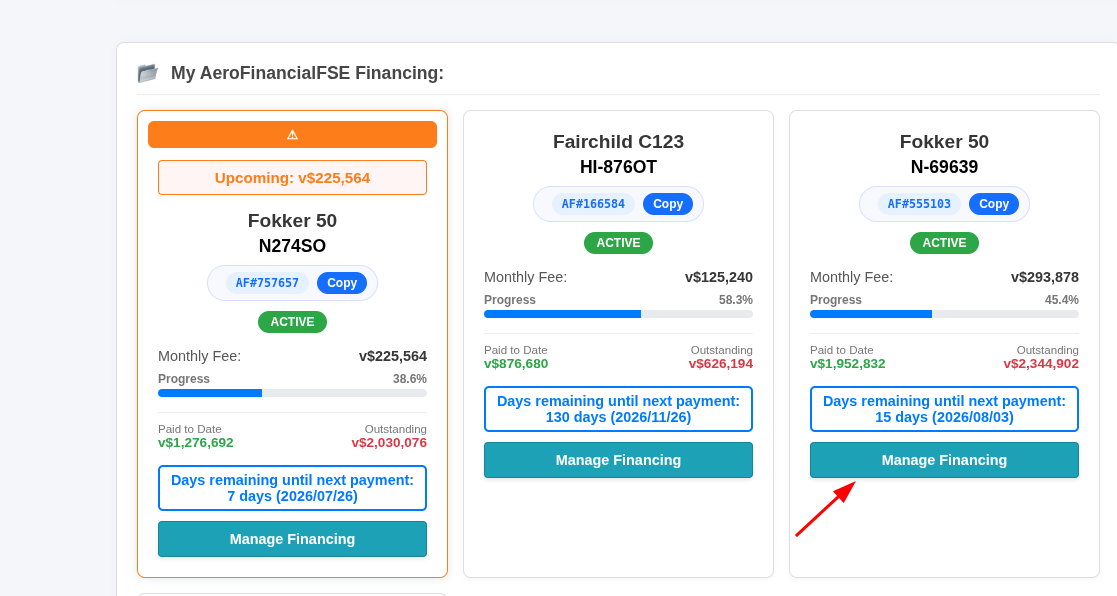
Click on the "System Management & Requests" button.
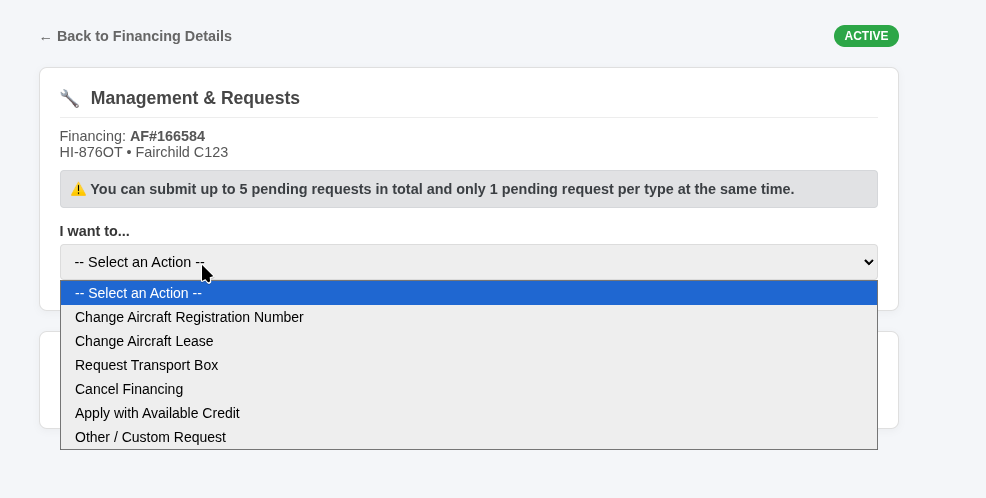
Depending on the type of financing, you may request the following:
-
Apply credit: Request that any accumulated credit be deducted from future installments.
-
Request a cancellation: Terminate your financing agreement.
-
Custom request: Request any other specific changes and provide details on what you would like to adjust.
For Aircraft:
-
You may change the aircraft registration number (tail number).
-
Request a transport box (crate).
-
Change the lease agreement.

For FBOs:
-
Change the FBO name.
All requests are sent to our team for manual review. Our staff may approve or deny these requests, and you will receive the reason for their decision.
Please be patient when submitting your requests. Our team will respond as soon as they are available.
Vacation Mode - Guide
In this guide, you will be able to request vacation mode for your ORION financing account.
Go to https://orion.aerofinancialfse.com
Log in with your credentials. Click on "Manage Financing" on the financing plan where you want to activate vacation mode.
Click on Request Vacation Mode (orange button) and click on "Request Vacation Mode".
A staff member will review your request and generate the pending installment for this month's mandatory expenses (usually property fees).
When the administrator approves your request, you will receive an email informing you of the instructions, amount, and payment description. It is important that you follow the instructions correctly to continue with the process.
Once paid, the system will automatically verify the payment. If the system recognizes and approves the request, it will send you an email informing you that vacation mode has been activated. In your pending installments, you should verify that they have been extended by 1 more month.
Requirements:
-
To use this system, you must have an email registered with Orion.
-
The financing must be at least 2 months old.
Profile
We will show you how to manage your profile.
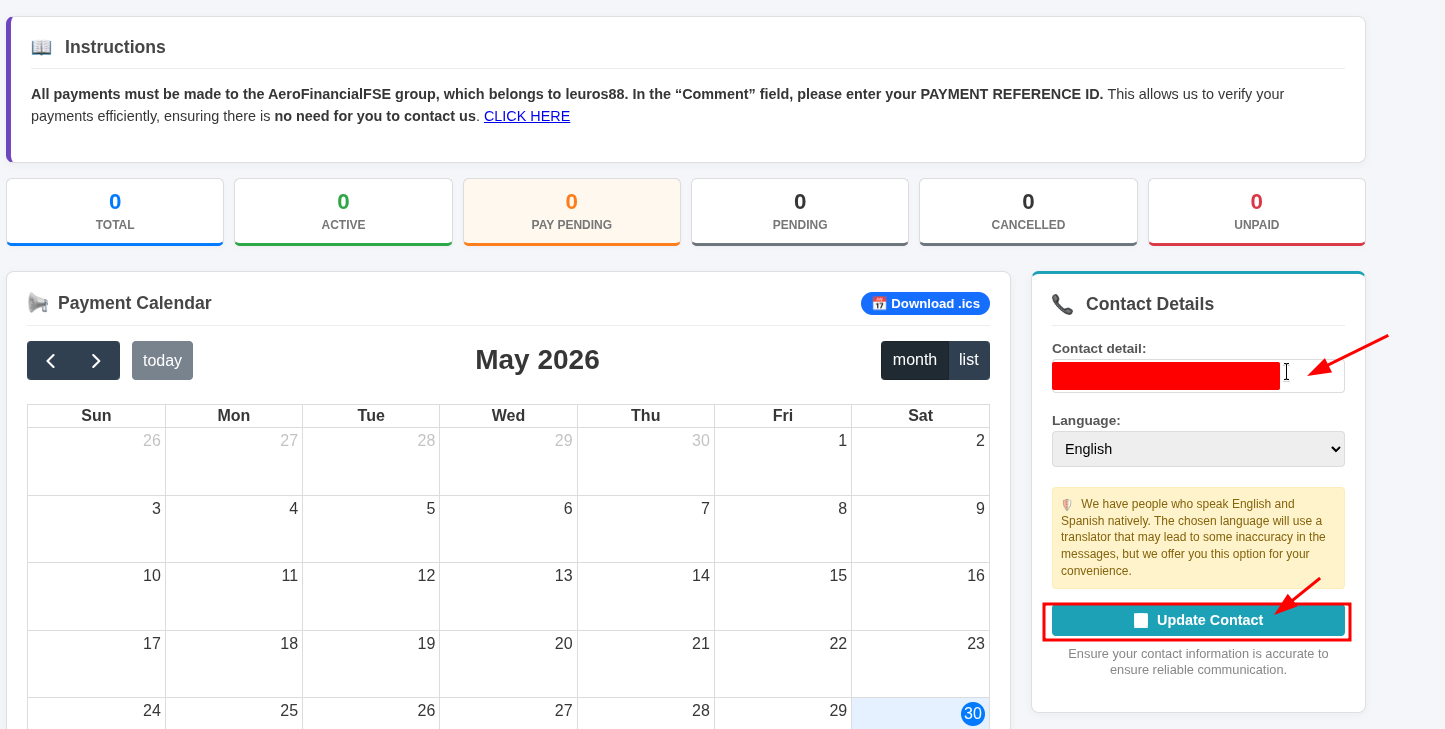
Adding or Updating Your Email Address
- Log in to your account at https://orion.aerofinancialfse.com/
-
In the Contact Details section, add your email address and click "Update Contact".

Once you've completed these steps, your email address will be associated with your account, and all future communications will be sent exclusively to that email address.
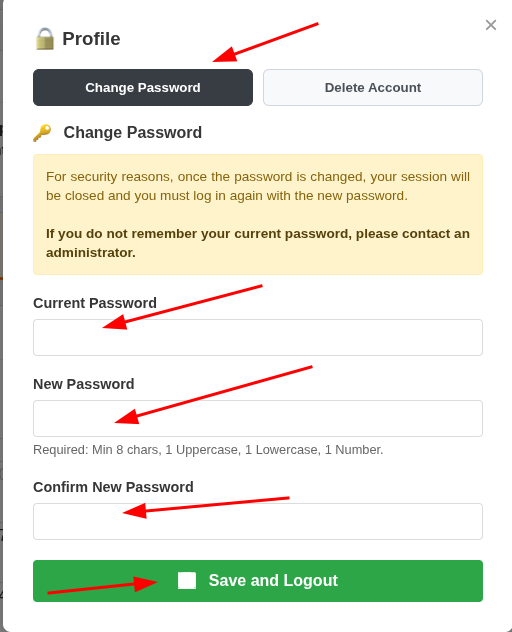
Change Password
We recommend changing your password periodically. We will show you how to do this here, but please remember: use strong passwords, or a password manager. Do not use the same password you have configured for FSEconomy, and avoid reusing passwords from other websites.
Log in to https://orion.aerofinancialfse.com and click on "Profile".

Submit the form with the correct information.
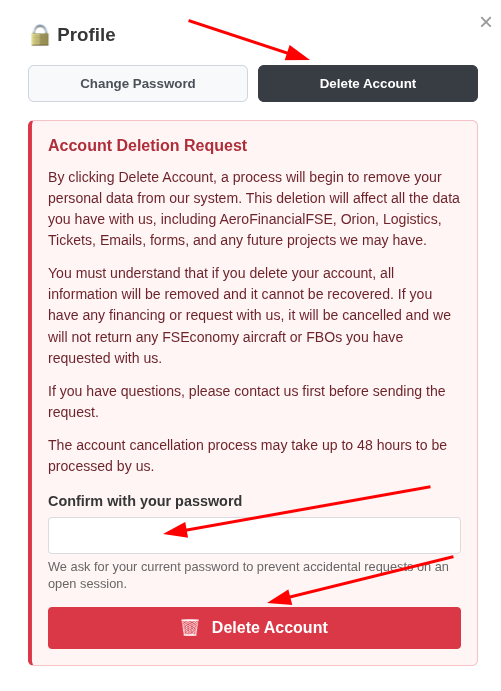
Account Deletion
You can delete your account by following the guide below.
Log in to https://orion.aerofinancialfse.com
Click on "Profile".
Click on the "Delete Account" button.
Submit the form and wait for our team to review your request.