Profile
We will show you how to manage your profile.
Adding or Updating Your Email Address
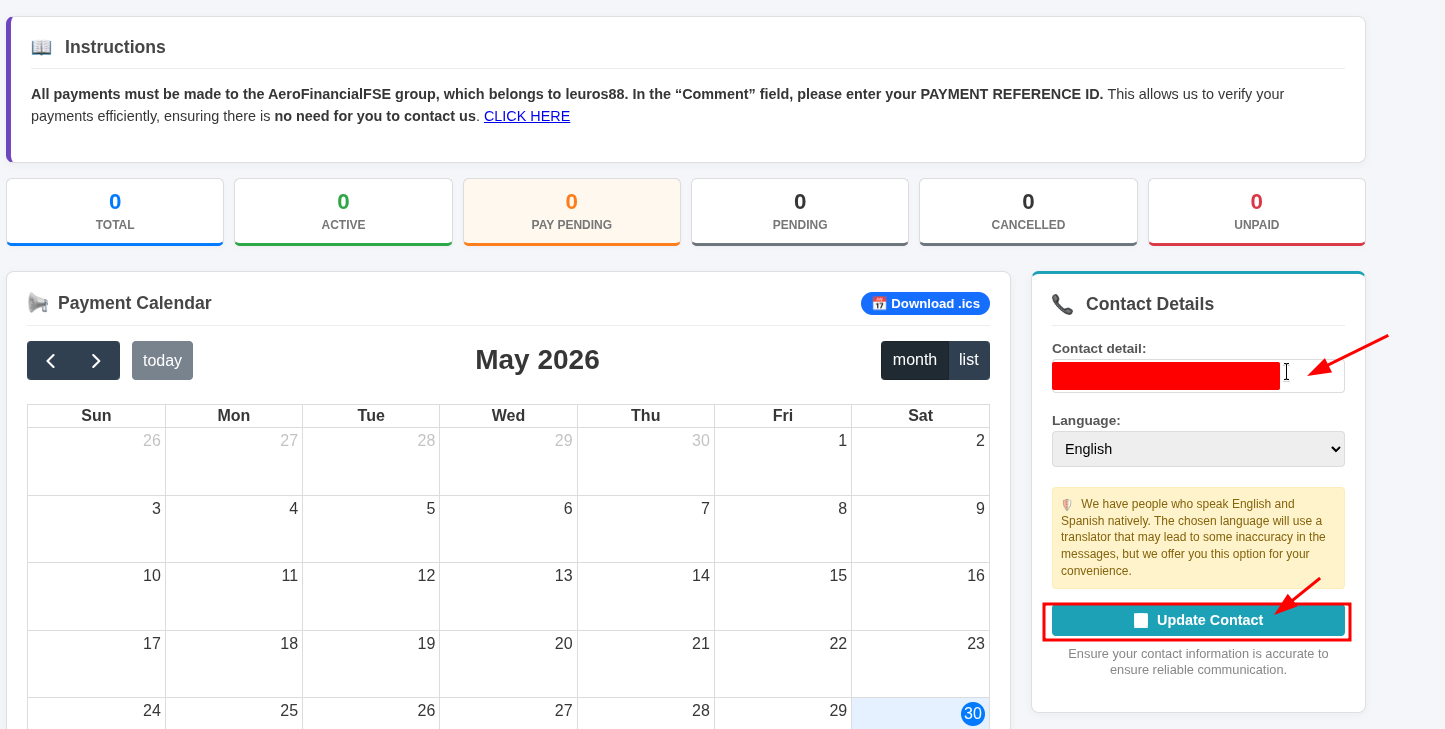
- Log in to your account at https://orion.aerofinancialfse.com/
-
In the Contact Details section, add your email address and click "Update Contact".

Once you've completed these steps, your email address will be associated with your account, and all future communications will be sent exclusively to that email address.
Change Password
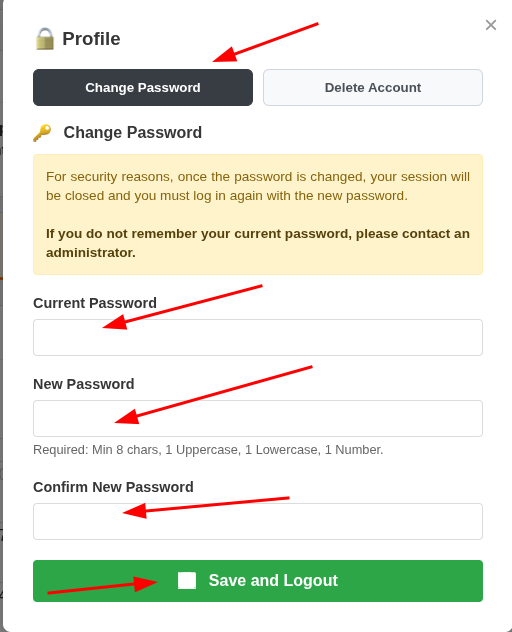
We recommend changing your password periodically. We will show you how to do this here, but please remember: use strong passwords, or a password manager. Do not use the same password you have configured for FSEconomy, and avoid reusing passwords from other websites.
Log in to https://orion.aerofinancialfse.com and click on "Profile".

Submit the form with the correct information.
Account Deletion
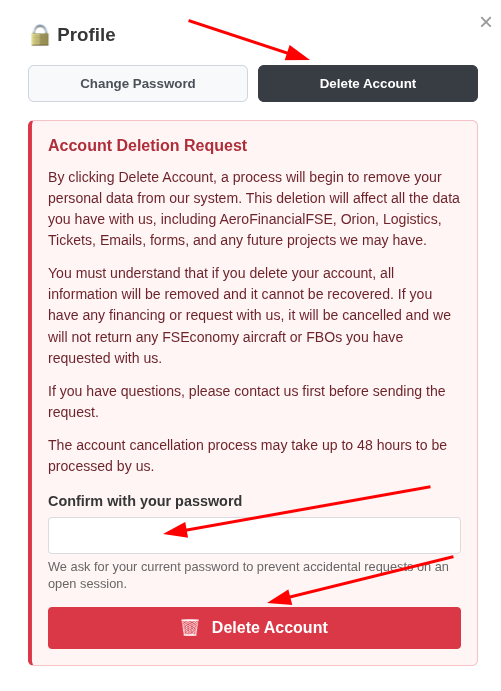
You can delete your account by following the guide below.
Log in to https://orion.aerofinancialfse.com
Click on "Profile".
Click on the "Delete Account" button.
Submit the form and wait for our team to review your request.