Pilot billing management
Pilot billing management
1- Description
This system allows billing management between an aircraft owner and a pilot who wants to lease an aircraft.
The platform supports two different payment methods:
Standard / Manual Payments
Payments are managed directly by the aircraft owner.
The system includes organizational tools to keep track of upcoming payments and billing schedules.
The owner is responsible for:
-
Managing and recording payments in the system
-
Monitoring payment status
-
Using the built-in calendar and template system
-
Editing installments and lease fees
-
Adding extra charges or custom fees
-
Marking payments as pending or completed
The system also supports Discord webhooks, allowing the owner to receive automatic payment notifications and reminders.
Payments Using the FSE Payment Gateway
With the FSE Payment Gateway, FSELeaseHub handles payment processing on behalf of the owner.
Our team manages payment operations and transfers funds on scheduled payout dates, including a management commission fee.
Our Staff team will provide you with all the accumulated money on a specific date, applying a commission.
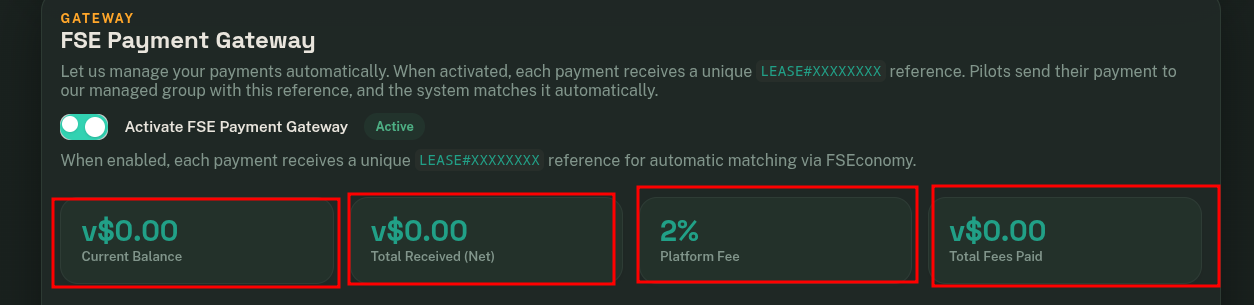
You will be able to view all accumulated payments in the FSE Payment Gateway module.
The system generates a unique payment ID for each pending payment, allowing pilots to complete payments easily using that ID.
Activation Manual Payments
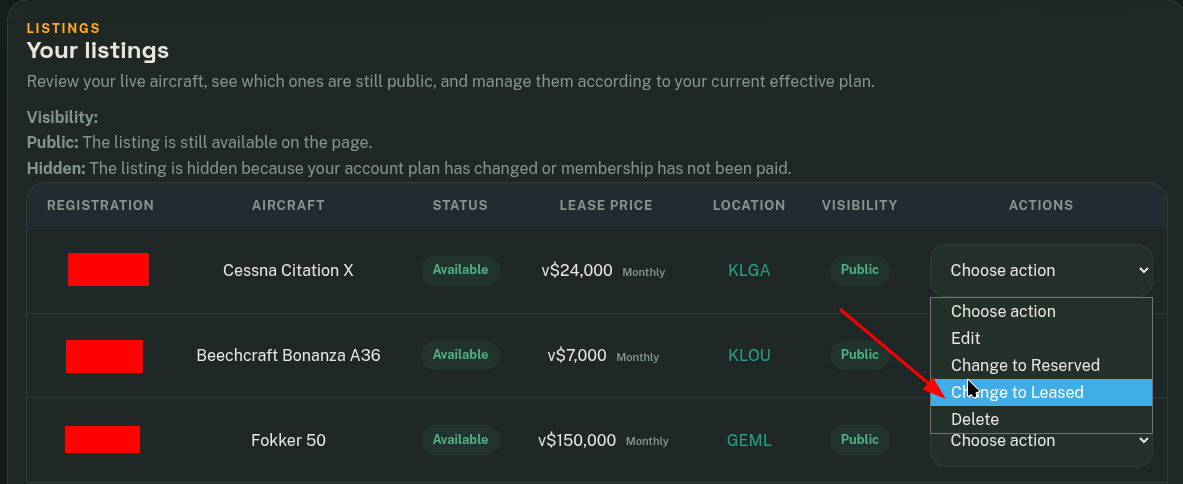
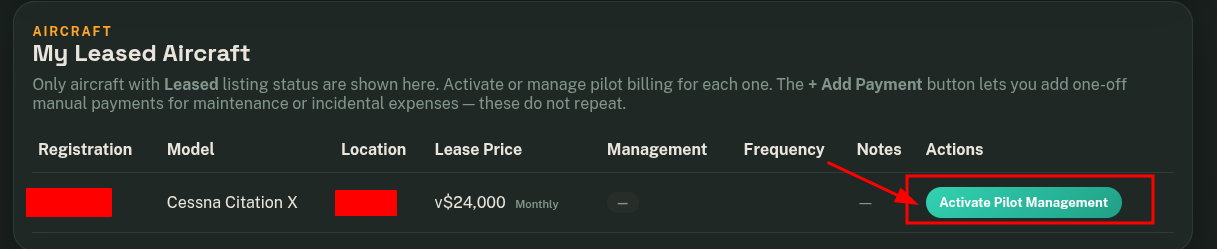
- First, set the aircraft status to Leased.

- Go to Pilot Billing Management.

- Click on "Activate Pilot Management".

Activation Payment Gateway
- Follow the previous steps.
- Activate FSE Payment Gateway


Alerts and notifications
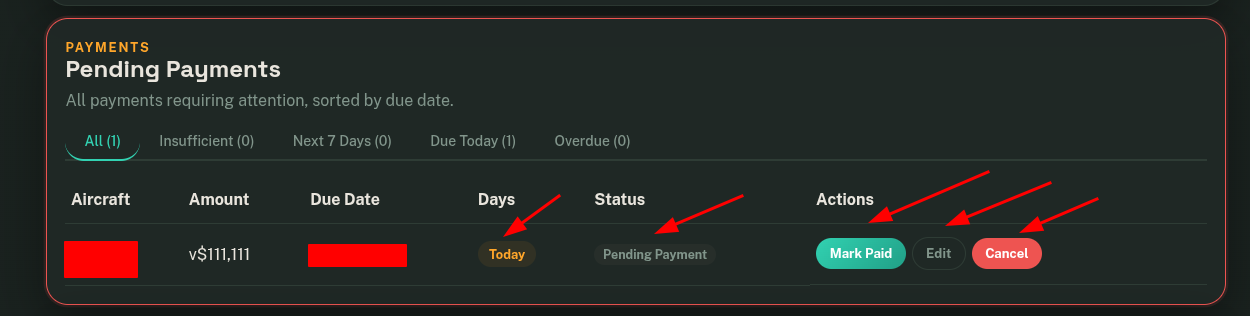
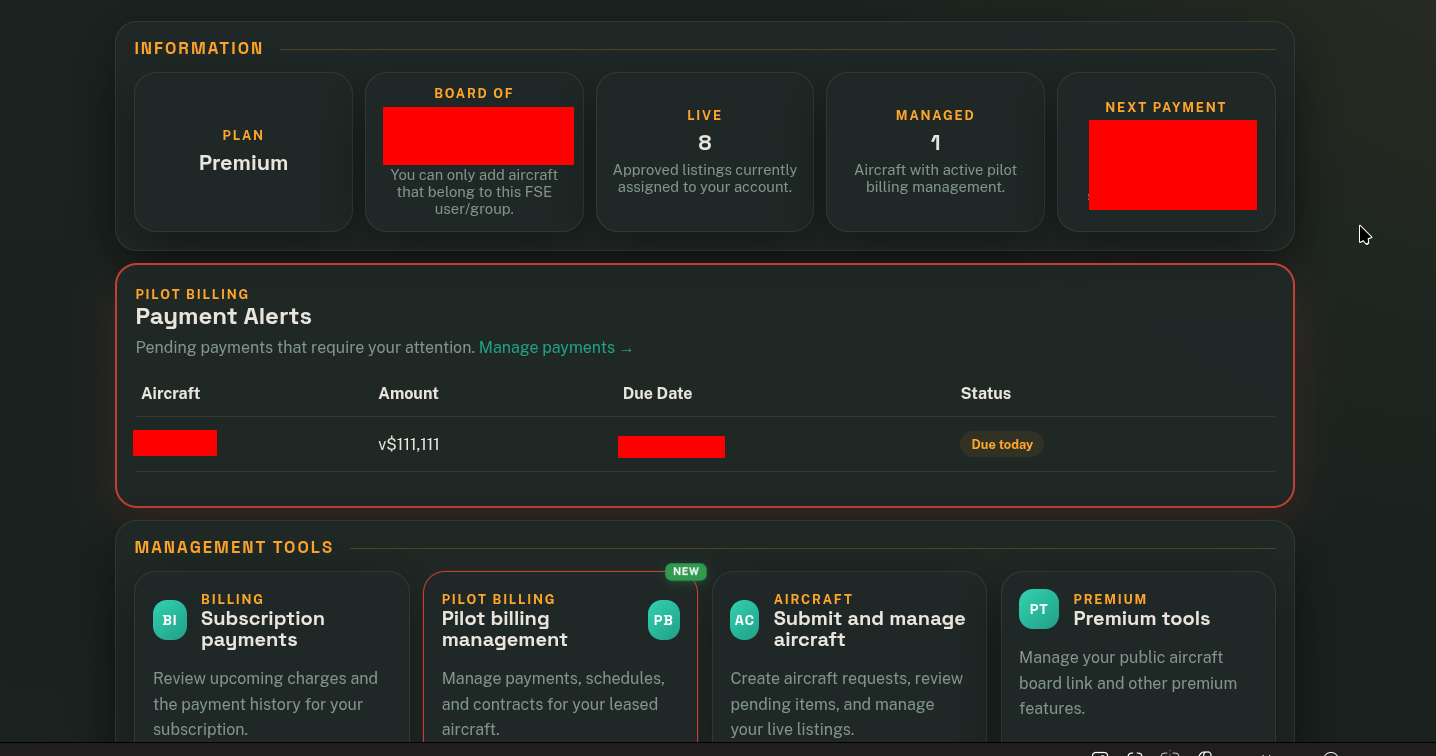
When you activate Pilot Management, the system is prepared to display alerts and notifications for the upcoming payments that the pilot needs to make.
Visual alerts on the Dashboard
On the panel, you will see alerts that are usually displayed with a red border.
When notifications are important to you, we will also display a notice on the main dashboard.
Discord Notifications
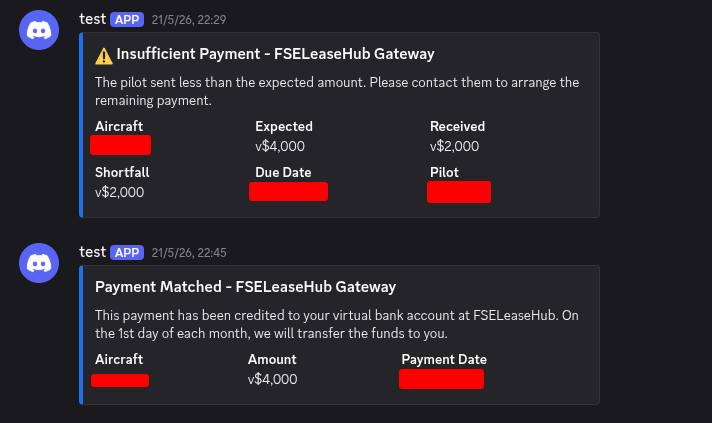
You can also configure Discord notifications to receive upcoming expiration alerts or payment confirmations when using the Payment Gateway system.
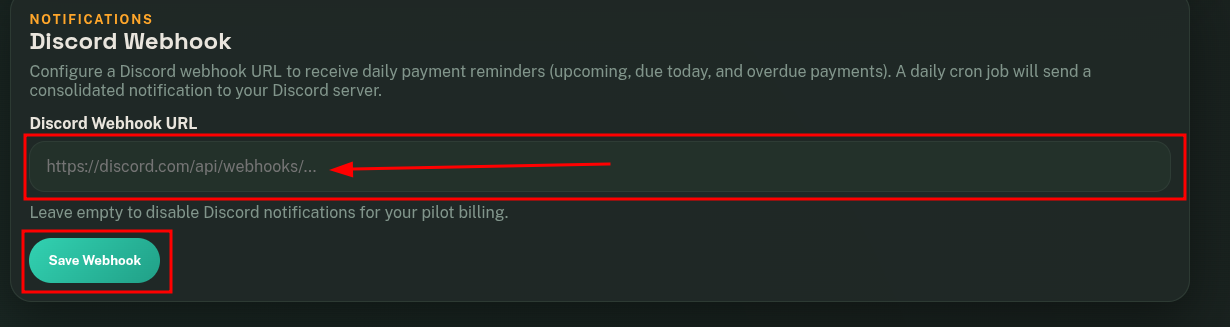
This is an example of the notifications you will receive.
You will also receive notifications when a payment has 7 days or less remaining, another notification when the due date is today, and another notification when it has expired.
2- Manage payments
Manual payment management
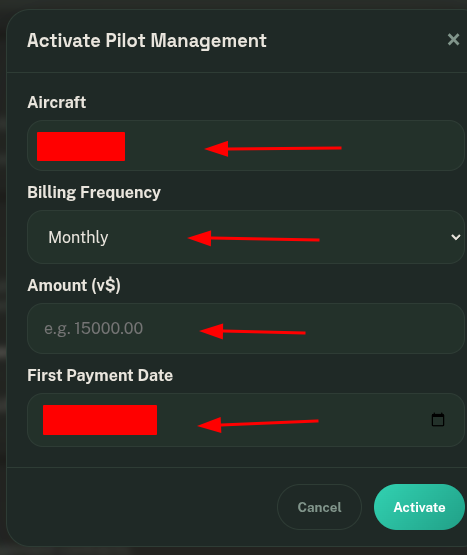
When you click on Activate Pilot Management, you can configure the installments, their corresponding amounts, and the date of the first payment.
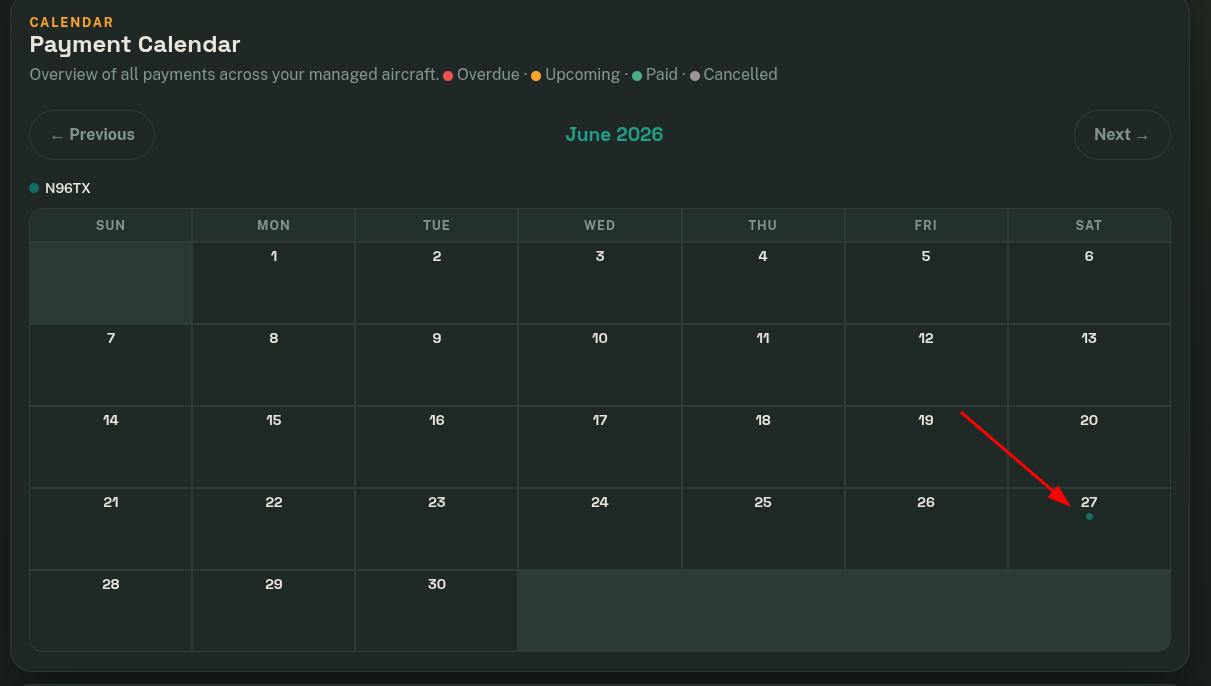
At this moment, the calendar will display the next payment that the pilot needs to make.
In the Pending Payments module, upcoming due payments within the next 7 days or less will be displayed. Alerts will also appear on the dashboard to notify you of the next payment.
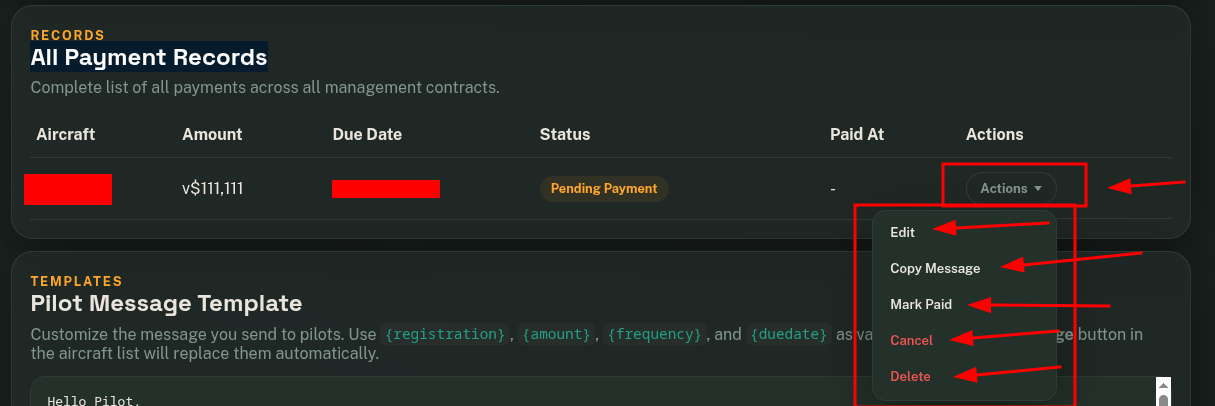
In the All Payment Records module, you will be able to view all upcoming pending payments. From this panel, you can edit, mark as paid, cancel, or delete payments.
When you click on Pay, the next payment will be automatically generated according to the configured payment frequency.
Automatic Payment Gateway
When you enable FSE Payment Gateway, payments start being managed automatically and will be handled by FSELeaseHub.
At this moment, all payments that were previously configured manually are converted into automatic payments and assigned a unique payment ID.
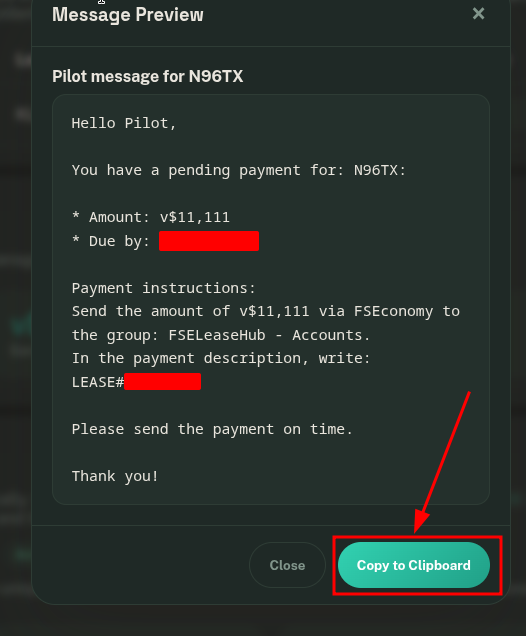
The best and easiest way to manage these payments with the pilot is to contact them and provide the new information, including the payment ID, due date, amount, and the group where the payments must be made.
Pilot Message Template
For this reason, we have made this task easier for you, and you can use the Text Template system. A text template is a block of information with a format and variables that you only need to copy to your clipboard and send to the pilot.
This system can be used for the manual payment system or the automatic Gateway payment system.
-
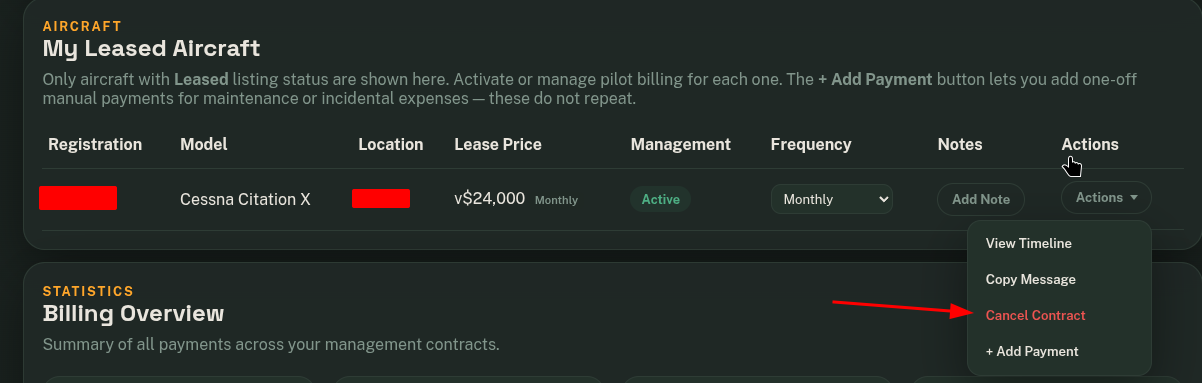
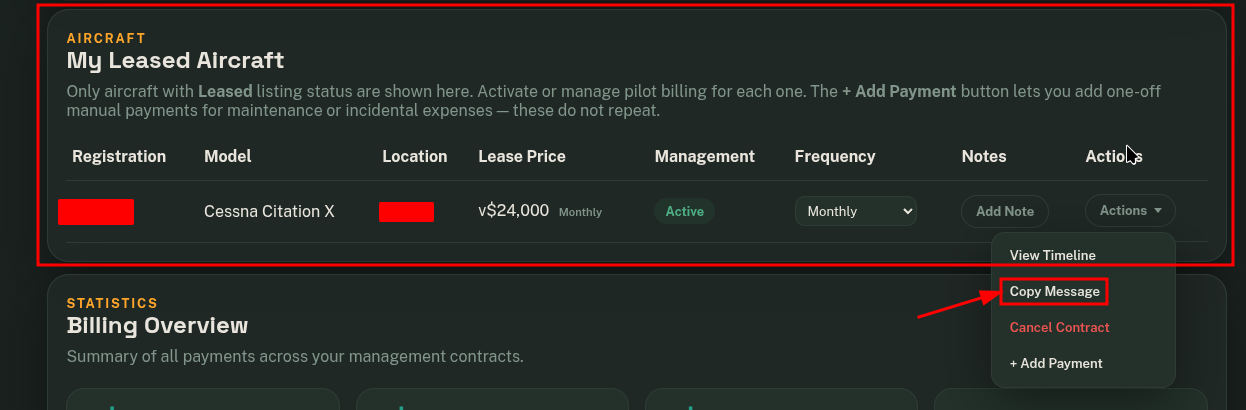
Go to My Leased Aircraft.
-
Click on Copy Message.

- This is the information you need to send to the pilot.

Text Template Customization
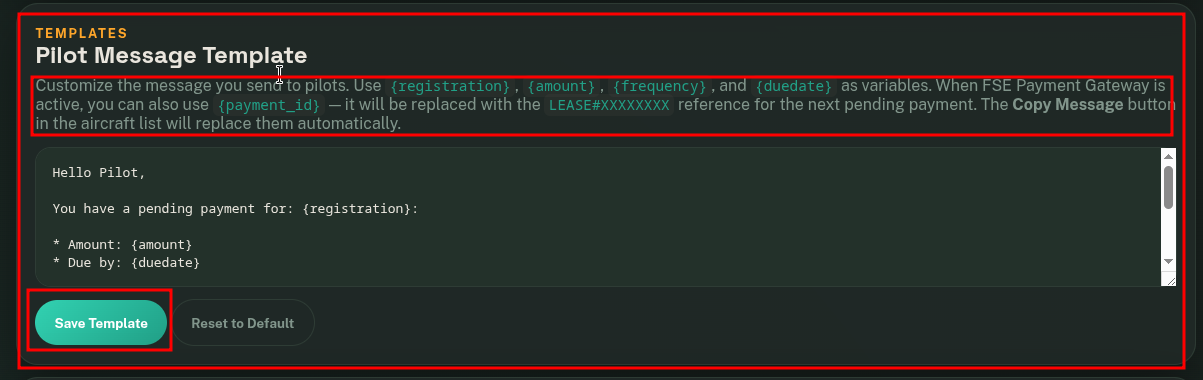
The previous text template can be customized.
-
Go to the Pilot Message Template module.
- Customize the template using the available variables shown on the same page.
- Save Template
3- Disable billing management
At any time, you can disable the Billing Management system individually for each aircraft.
When you disable this system, the aircraft is automatically marked as Available again on the FSELeaseHub platform, and you will no longer receive notifications about upcoming payments or expirations.
- Go to Pilot Billing Management.
-
In the My Leased Aircraft module, click on "Cancel Contract".