3- Change the Status of Published Aircraft and Delete
Aircraft Status
All published listings for your aircraft can have 3 different statuses:
-
Available: The aircraft is published on the FSELeaseHub platform.
-
Leased: The aircraft is still listed in your panel, but it will not appear in the public listings. When a pilot is interested in your aircraft, you can change it to this status so you do not have to delete it.
-
Reserved: The aircraft is still listed in your panel, but it will not appear in the public listings. When you want to reserve an aircraft or temporarily stop publishing it, you can change it to this status so you do not have to delete it.
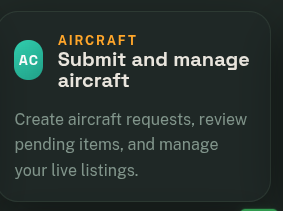
To change these statuses, go to Submit and Manage Aircraft.
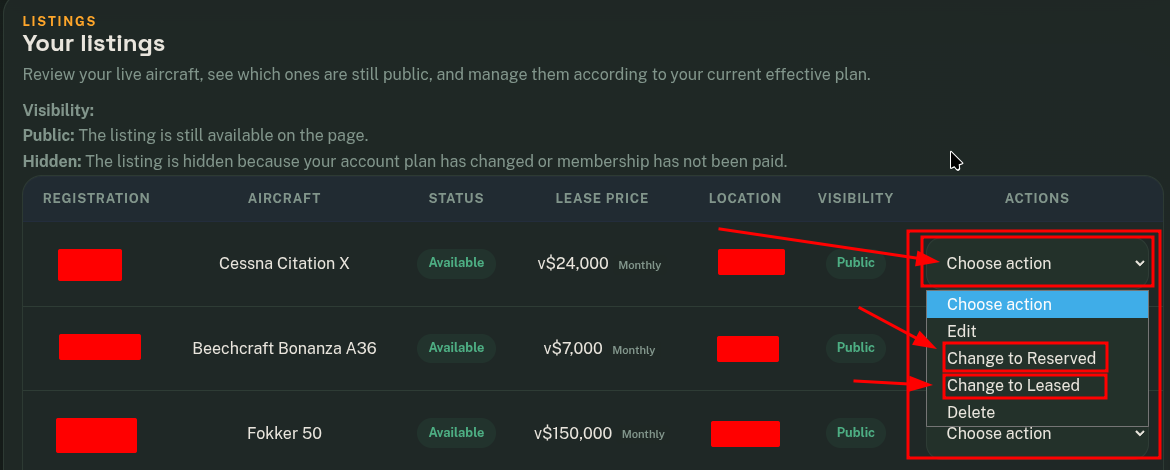
In the Your Listings module, click on Actions for the aircraft whose status you want to change, and you can switch it to Reserved or Leased.
Delete Aircraft
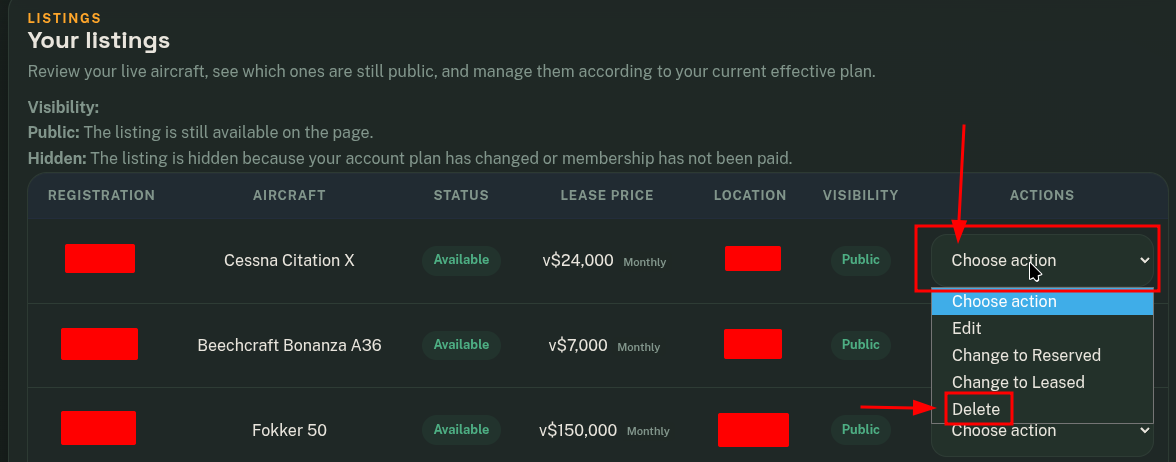
You can delete aircraft from FSELeaseHub by following this process.
- Go to Submit and Manage Aircraft

-
In the Your Listings module, click on Actions for the aircraft you want to delete, then click on Delete.